Rail Creator
Draw a spline. The network builds itself.
A Unity Editor tool suite for building TrainStation 3's track networks: spline-driven track generation from the pieces the art team already modelled, ranked junction auto-fitting with a ghost preview, and wiring for train logic that survives prefab reimports.
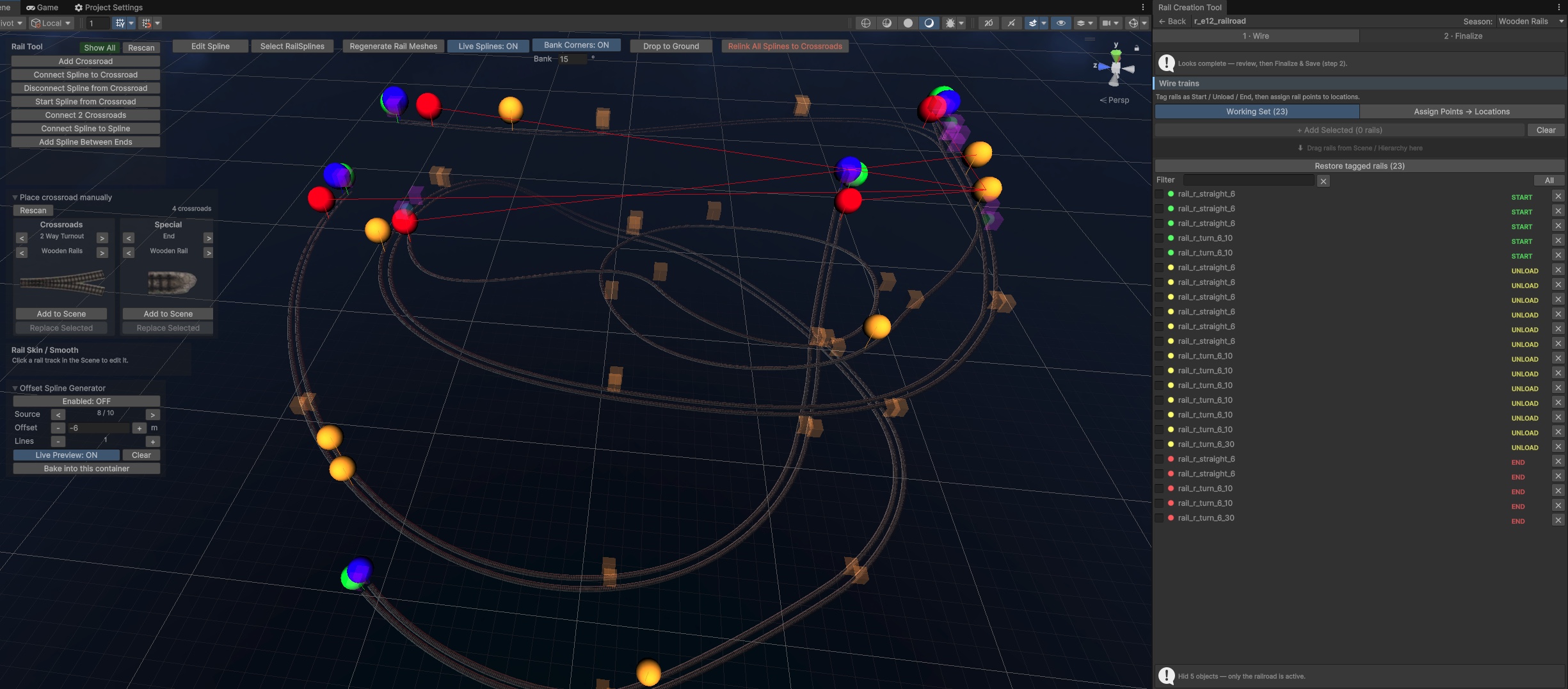
Track is the backbone of TrainStation 3: every scene is built from rails that have to connect cleanly, keep the same visual language across the whole game - and carry the game logic, because trains start, unload and end on specific rails.
Track was assembled by hand, one segment at a time. Curves were eyeballed, junctions were lined up by nudging pieces until they matched, and changing a layout meant taking the section apart and rebuilding it. Wiring the rail points for train logic was just as fragile: hand-edited component lists that a prefab reimport could silently break.
fix the junction → repeat
The tool sits on Unity's Splines package and never bakes a new mesh. Each spline is resampled at a fixed step, the bend between consecutive tangents is measured, and every segment snaps to the closest piece from a small library of modelled track - one straight plus turns at four angles. Runs of same-curvature segments merge into longer pieces, and stretches the library can't represent - too tight a curve, too steep a climb - are flagged in the scene view instead of silently bending geometry. In live mode the tool snapshots spline knots, so moving one rebuilds only the splines that actually changed.
Junctions work the same way an artist would - try the piece against the ends it has to meet - just exhaustively. Pick loose track ends and every crossroad prefab that could connect them is ranked: with matching counts, a centroid best-fit tests every endpoint pairing for the least total misalignment; with a single end or a bigger crossroad, an anchored fit pins that end and prefers arms that continue straight through the junction, so the main line never bends into a switch branch. The best candidates appear as a ghost preview - rotate, flip, swap variant or season - and nothing touches the scene until the artist commits.
SCENE VIEW
GHOST PREVIEW
4 IDENTITY KEYS
Curvature per segment is quantized to the art team's own piece library, so every layout uses the same meshes and materials - a known cost per stretch, which keeps the project's optimization work predictable.
Candidates are ranked by fit error: a centroid best-fit over every endpoint pairing when counts match, an anchored fit when they don't. A bigger crossroad may land on fewer ends - its surplus arms simply stay open.
Anchored fits score rail points by how straight the track can continue out the far side - an arm with an anti-parallel partner wins - so the main line runs through the junction and branches are only a tiebreak.
A junction is previewed in place - rotate, flip on either axis, cycle variants and seasons, anchor to a chosen rail point - and only committing places the real prefab. Every operation registers with Unity's undo stack.
Each rail point is stored in a per-scene data asset under four identity keys - GlobalObjectId, a unique-id component, hierarchy path and local transform - so a prefab reimport or script recompile can't orphan the train logic; a rescue pass rebinds whatever moved.
The finalize step merges splines and junctions into a single rails object, swaps editor rails for simplified prefabs and saves one region prefab - the tool's scaffolding never ships with the scene.
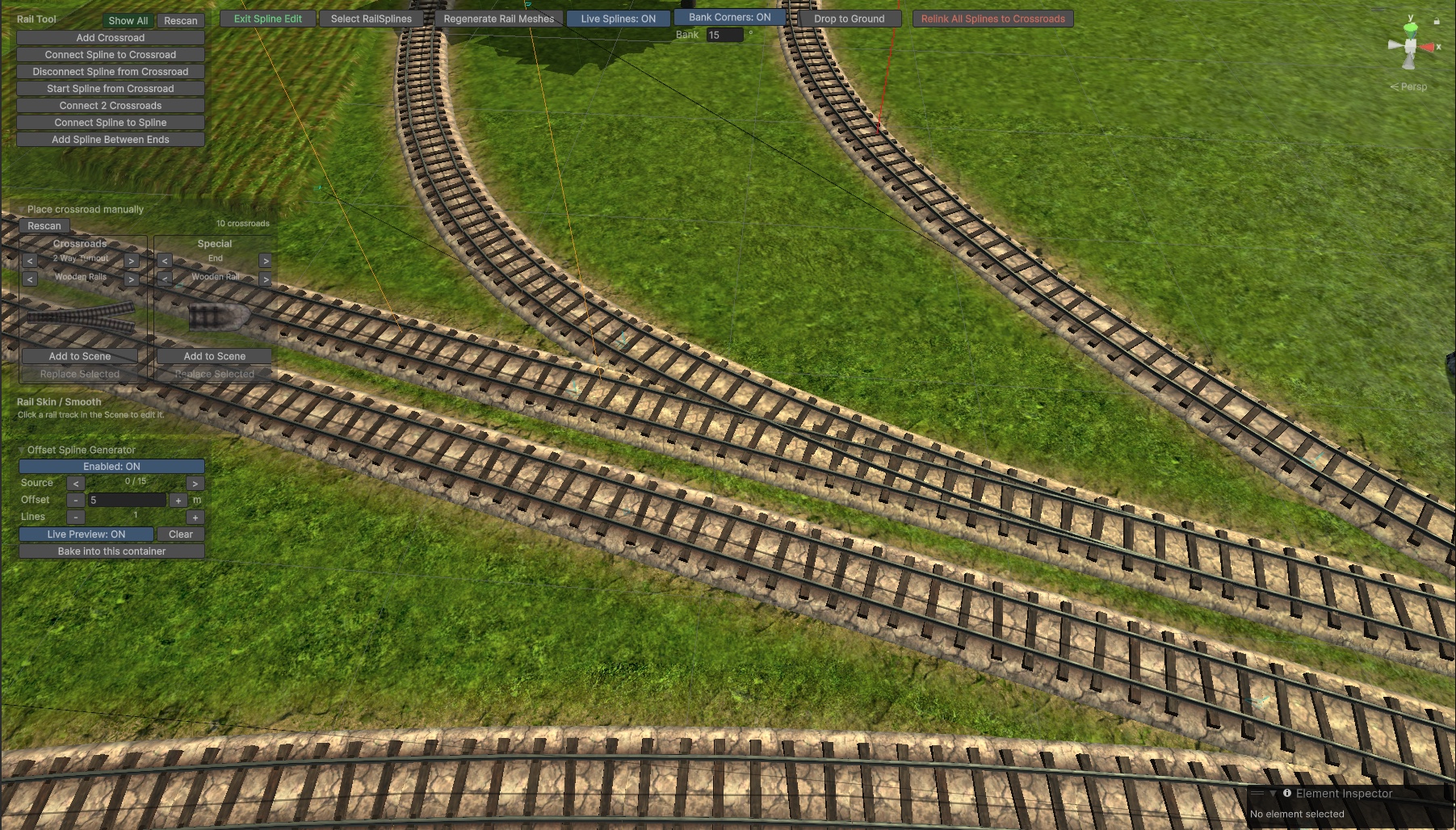
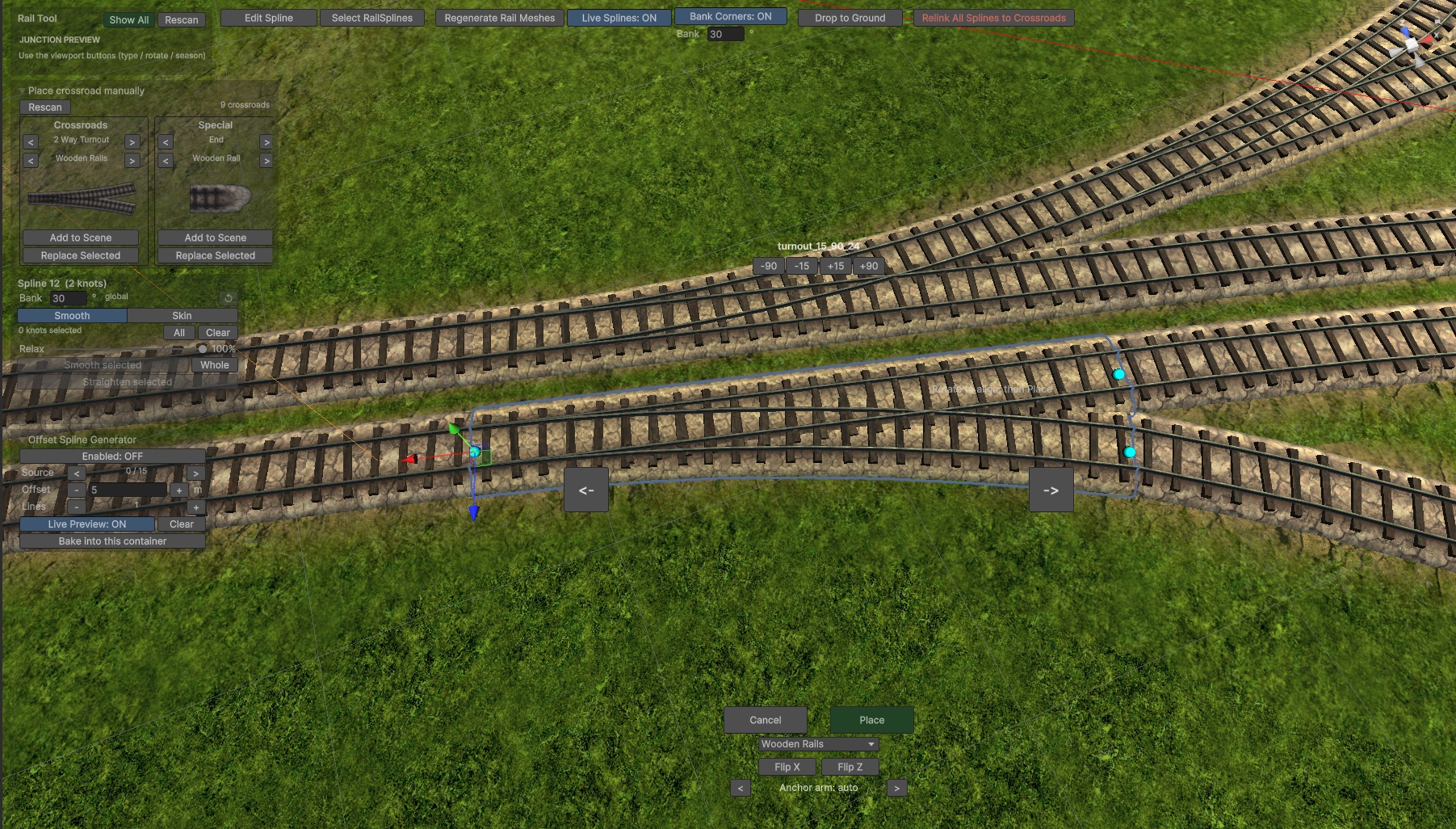
In production use on TrainStation 3 while still in active development. The window walks artists through the whole job as a guided flow - build tracks, connect them, wire the rail points, assign them to locations, finalize - with a banner that always says what the next step is. Layouts stay editable until the moment they are baked. If there is a need for a later edit it can be unbaked into a editable form a finalized again for a production.