Team Planner
Who does what, this week.
A multi-user planning web app built for the Pixel Federation cross department use: people as rows, days as columns, tasks as draggable man-day bars - with absences, holidays, milestones and a sprint ruler, shared by the whole team through a browser.
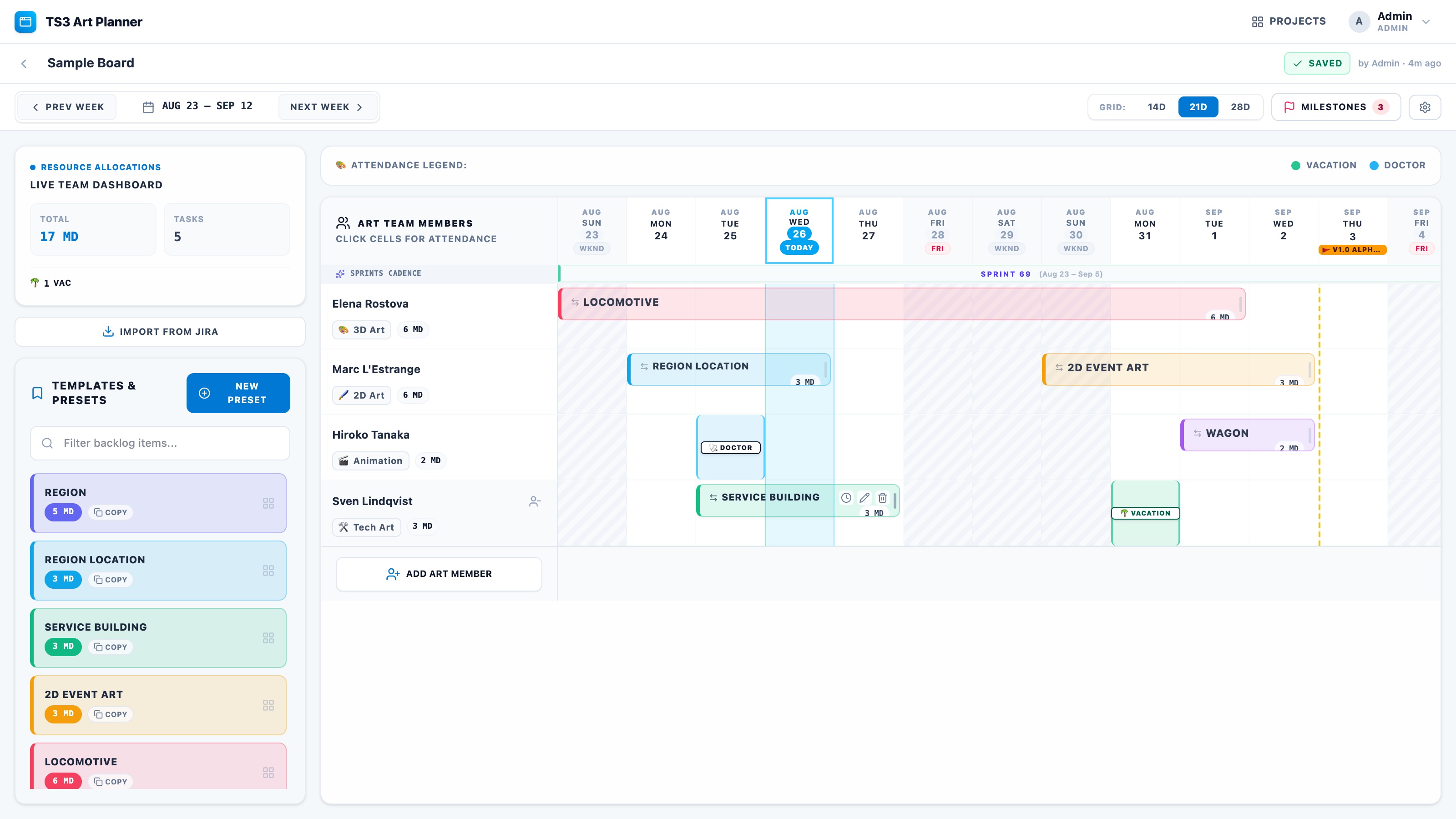
An art lead's week is a puzzle: who is on which asset, who is off, what lands before the milestone. In Pixel Federation that puzzle lived in excel, Miro boards, Jira and so on. I built a planner that puts it on one board the whole company can see and edit - and kept building it as the team's needs changed.
A task is "six man-days of the locomotive", it skips the holiday and the artist's doctor's appointment, and the moment two leads open the same plan, one of them must not silently overwrite the other. The first version - a single shared JSON file on the LAN - proved the board, and its limits.
who's off? → ask around →
re-plan by hand
One small Node server hosts everything: it serves the built React app, exposes the REST API and owns the database through Drizzle ORM - a managed PostgreSQL in production, or an embedded PGlite store on disk for a zero-install instance. Accounts are real: bcrypt-hashed passwords, server-side sessions stored only as a SHA-256 hash of the token that lives in an HttpOnly cookie, and three roles - admin, editor, viewer - on top of each person's discipline.
A board is a document: members, tasks, absences, holidays, backlog and milestones. The client autosaves edits after 0.8 s of quiet and polls every 4 s, so teammates' changes simply appear; a status pill reads Saved, Saving, Offline or Conflict. Saves are lost-update-proof - the server checks the board's version inside a transaction that locks the project row, so the second of two competing saves is told the board moved on and its author chooses to reload or keep their copy. Every write is schema-validated, and the server re-derives member names and disciplines from the user table rather than trusting the client.
DRAG · DROP · EDIT
SERVER RE-DERIVES
ROW LOCK · 409
OR EMBEDDED PGLITE
A task's length is working capacity: each date is worth 1, 0.5 or 0 for a given person - holidays first, then the board's own non-working weekdays unless a date is forced working, then that person's absences, with half-day absences and afternoon starts drawn as half cells.
Every save carries the version it was based on. Inside a transaction the project row is locked and the version compared; the loser gets a 409 with the current board and a choice - reload, or keep working on its own copy.
A person's overlapping tasks are packed into as few tracks as possible: sorted by start and length, each bar takes the first track where it overlaps nothing, with bars cut cleanly at the visible edges of the grid.
The database stores only a SHA-256 hash of each session token; the token itself exists only in the user's HttpOnly cookie, so a leaked table row cannot be replayed as a login. Passwords are bcrypt-hashed; expired sessions are purged on start.
An admin can connect Jira Cloud and curate saved JQL bookmarks; editors import issues straight onto the board. The API token is stored AES-256-GCM encrypted and is never returned to a client.
The embedded database allows one process per data directory, so the server takes an advisory PID lock and refuses to start a second instance with a clear message instead of silently corrupting the store. Migrations are additive and run on startup.
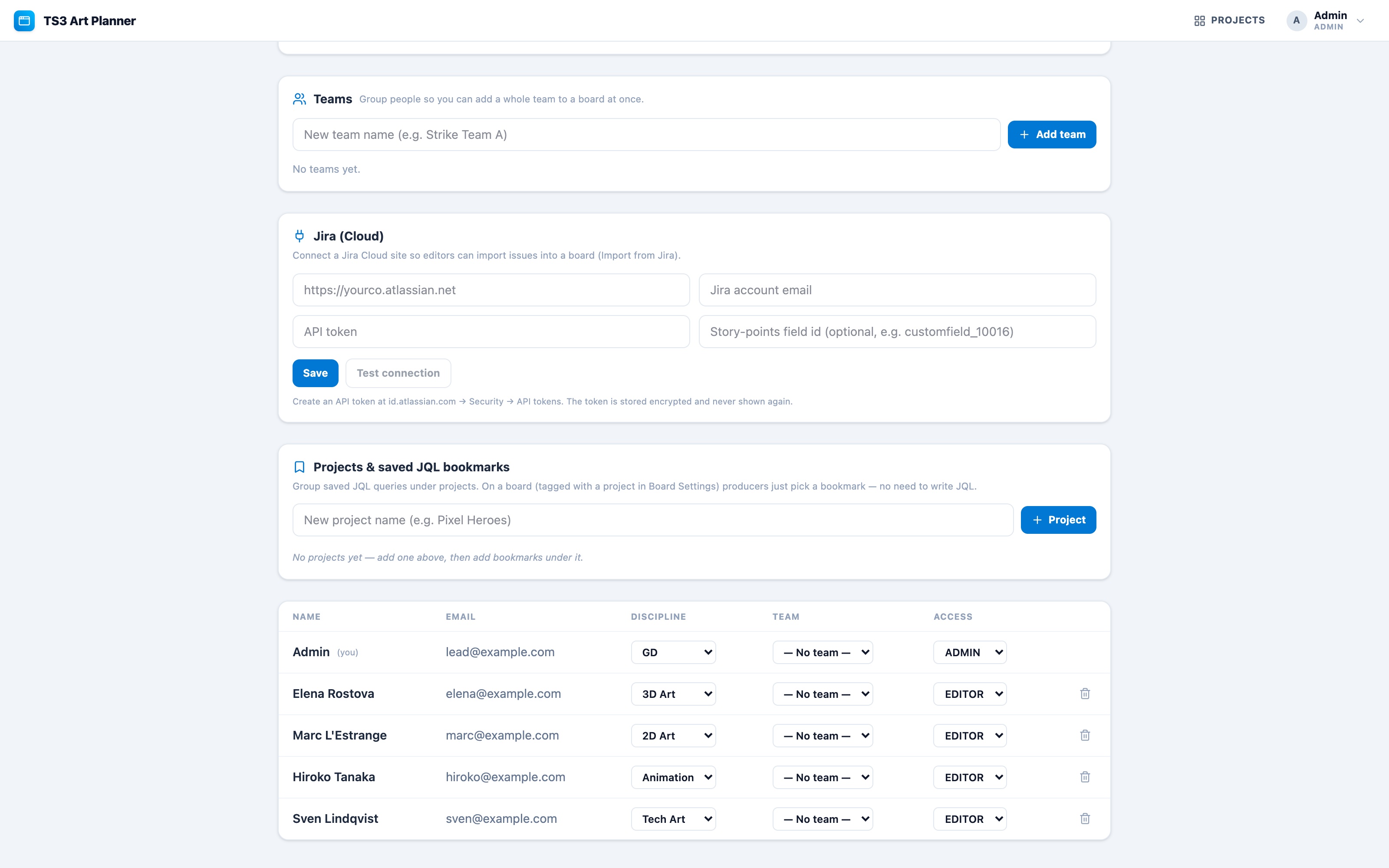
In daily use by the teams, evolved from a single-file LAN tool into a multi-user product with accounts, teams, Jira import and a planned-versus-actual read-out per person. It deploys as one Node process behind HTTPS - point it at a Postgres, or run it with nothing installed but Node.